This week I’ve been learning about Universal Design for Learning (UDL) and Intersectionality. UDL is a framework that helps instructors create “learning environments that are equitable, beneficial, and meaningful for all learners” (UDL-IRN, 2018). It helps meet each student at their unique skill levels and to meet learning goals. Intersectionality refers to the unique cases created by considering the combined characteristics of a person and how they create a unique circumstance. For example, an African-American woman can be perceived differently than both an African-American man or a Caucasian woman (Crenshaw, 2016).
While reviewing lesson plans from peers through the lens of UDL and intersectionality it became concrete to me that these are not just academic concepts. They have important, real-world applications that affect our students.
Since I’ve been working with virtual reality, I thought this would be a great opportunity to put it into practice and see if I could demonstrate my learning with this technology. The virtual world I created contained gifted students who vary in skill levels in different areas. This asynchronous development is typical of gifted students, but it presents some challenges. Since the students may be extremely strong in some areas and weak in others so the class cannot be taught as a homogenous group. The world also explores intersectionality as some gifted students may have special needs because they have learning disabilities in addition to being gifted.
In my virtual world, the teacher learns from an experienced coworker that using a backward design process keeps the project experience focused on the learning goals. UDL can then be applied to make sure each student can meet those goals regardless of his or her strengths and weaknesses. UDL also helps keep students engaged even if they are at a much higher or lower skill level in the topic being taught.
This week I worked on designing an innovative learning experience for our students. This experience builds off of an existing creative writing project created by Roeper teacher Dan Jacobs in which middle school students design a world, introduce a problem to that world then work with lower school students to find solutions to those problems.
The new component I’d like to add to the class is to have the middle school students then create the world in virtual reality. This was not easy to design. I love learning about new technology and thinking about how to use it in education. But designing an effective plan really challenged me to think more about the technology being used. Are we using it just because it is interesting or are we adding value when we introduce it? Virtual reality is exciting but will our students benefit and grow by using it?
Teachers and students must find new ways to use technology and expand what it can do if it is going to have meaningful educational value (Martinez and Stager, p.31). In this learning experience, students do that by creating an immersive, interactive simulation which could not be made without using technology.
It was important to keep a backward design process like Understanding by Design in mind while doing this. “The best designs derive backward from the learning sought.” (Wiggins, et al. p.14). This helps keep the learning goals at the center of the process and helps ensure we are using technology as a means to an end and not as an end itself.
Martinez, S. L., & Stager, G. (2019). Invent to learn: Making, tinkering, and engineering in the classroom (2nd Edition), p. 51. Torrance, CA: Constructing Modern Knowledge Press.
Wiggins, G., & McTighe, J. (2005). Understanding by design. Alexandria, VA: ASCD.
Sometimes in education, it’s useful to repurpose someone else’s work to create a new project. The internet, in particular, is full of videos, images, sounds and written words that can help us create our own presentations. Need a clip of a biplane doing stunts or a frog jump contest for your next lesson? It’s likely you can find one. But when we use these resources, we need to be sure to use them ethically and follow the rules regarding reuse.
For example, there is a large amount of material licensed under the creative commons . The creators of this material chose to allow their work to be reused or repurposed under the conditions they specify in the license. As long as we follow these conditions we can use these creations. For example, the original creator may specify that the derivative work must not be used commercially or that it must be distributed with the same creative commons licensing terms. The creative commons website has more details about license conditions
We can even use copyrighted materials without asking for permission as long as we follow the guidelines. Basically, we need to use only a small amount, use it in a new or different way, add meaning to it and not use it for profit. We must also be sure to give proper attribution to the copyright holder. This guide for teachers by Xavier University provides more information such as how much is a “small amount”? See my video on this topic above.
While looking into fair use and creative commons, I struggled at first simply because there is so much information to take in at first. It can seem overwhelming. Hopefully, this information helps you get started reusing materials ethically and to be confident that you are following the law!
I love our school. The environment is great. The people are positive and it’s a joy to work with them. The school philosophy is largely based on mutual respect. This is not just a philosophy. You can see it being put into practice every day. We listen to each other and take each other’s ideas seriously. This includes not only faculty and staff but also students. The kids have a legitimate voice and are empowered to make change both within and outside the school. They are given freedom and are expected to use that freedom wisely. The same goes for faculty and staff. Employees are relatively autonomous and supported. If someone wants to start a new program or initiative, then they are taken seriously, and the school is usually supportive of that idea.
The school does an exceptional job of supporting creativity and individuality. I’ve never seen a school environment where kids feel so free to be themselves and where they encourage their fellow students so well.
This supportive environment also makes it ok to try and fail. Students and employees are respected and if they are giving their best effort that is rewarded. I have not always worked in an environment like this, so I really appreciate it.
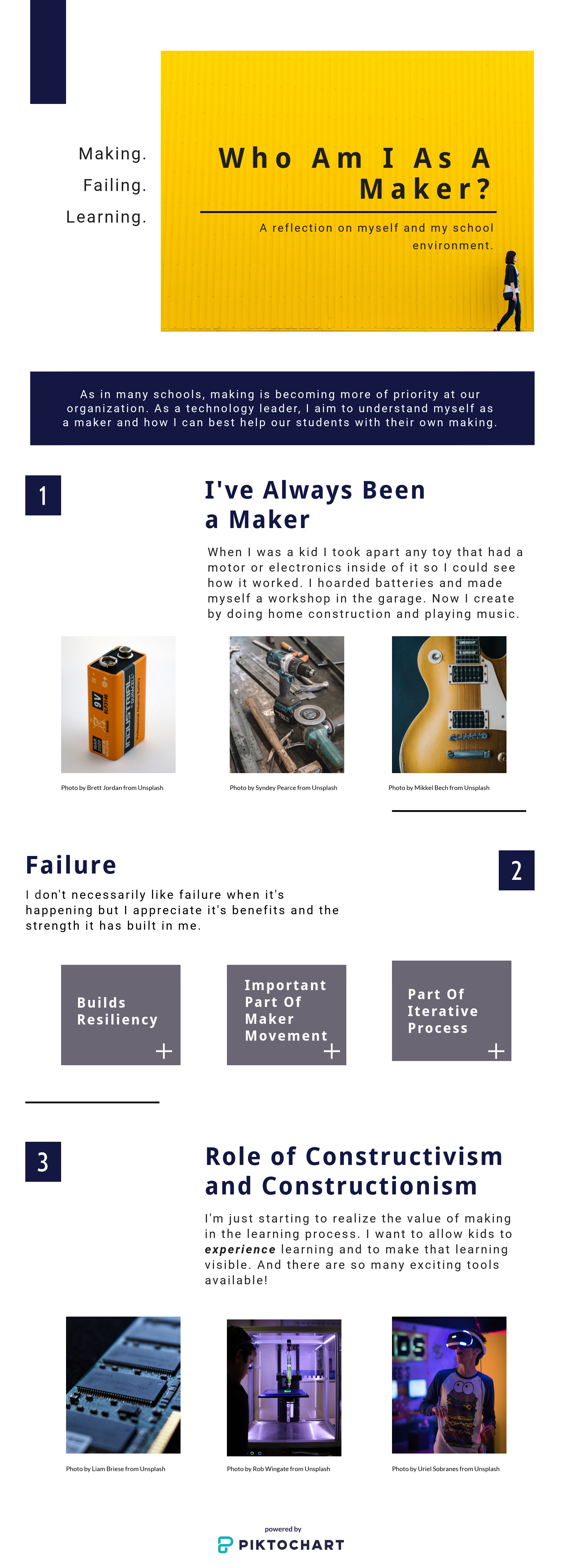
Personally, I have a good relationship with failure (see my infographic on this below). Most of the time I genuinely appreciate the lessons learned and the opportunity for growth. When I persevere and succeed after encountering failure, I feel like I’m better equipped to deal with the next challenge. I don’t always like failure or see the value of it when it’s happening. It’s certainly more comfortable when I don’t fail. But I usually realize at some point that the growth opportunities and feeling of accomplishment that comes from succeeding after facing and overcoming obstacles are much greater. I’m happy to work in an environment that supports our students when they go through this same process.
A relationship with failure like we have at our school is especially important as we look at increasing STEAM implementation into our curriculum and as we implement a new makerspace in the future. To get the most out of a makerspace, students need to have the freedom to create and not have a prescription to follow. An iterative design process becomes important in the process (Martinez, Stager p. 51). Since there is no recipe to follow it’s possible that creations will not work as expected after the first try. It is often necessary to refine or redesign the project multiple times.
This ability to reiterate and to see “failure” as one more step in finding a solution aligns closely with one of our school’s core tenets, namely to “prepare this future generation to deal with the unknown.” In the iterative process, students are practicing solving a problem without having a series of steps or formulas to follow. They are required to find their own solutions. When they do this “creativity, collaboration, and a degree of student agency over the process play an essential role.” (Cohen, Jones, Smith p. 36)
Our school values technical innovation, but we do not adequately support it. People share their ideas regarding technology in the classroom readily. Many teachers want to implement technological innovations but don’t feel like they have enough time to play with new technologies. We also provide very little professional development for educational technology.
Fortunately, we realize that this is a problem and we want to support our teachers. We are currently working with a scheduling consultant to rethink how we can schedule our days. One of my goals in this process was to advocate for time for teachers to learn new technologies and to provide meaningful professional development. We are also working on figuring out how to provide technology implementation specialists in the classroom.
Some teachers are doing innovative projects despite the constraints like using arduinos to control lights on dance costumes or using 3d printers to solve real-world problems. The desire is there. We just need to make sure the faculty has the tools and support they need.
Martinez, S. L., & Stager, G. (2019). Invent to learn: Making, tinkering, and engineering in the classroom (2nd Edition), p. 51. Torrance, CA: Constructing Modern Knowledge Press
Like I mentioned in my first blog post about the Networked Learning Project for our CEP 810 class, our goal was to learn how to do something we’ve always wanted to do using only online resources. I have always wanted to learn to use the speed bag, so I was excited to have this opportunity to finally start training with it.
Throughout the past few weeks, I tried using various sources for my learning. I checked out Reddit for the first time but found it cumbersome and difficult to find information. I tried searching Twitter hash tags, but I realized that it was difficult to search for relevant hash tags about speed bag training. I searched for help on a boxing forum but didn’t find anything helpful there, so I posted my own question asking for some advice. I don’t like having to wait to get answers when I’m looking for information but being able to ask a specific question can be beneficial. I didn’t receive a response to my question in the boxing forum, but I have asked questions in other forums with some success. I’ve also had success searching forums in the past, so I see the value of using them. I posted a question on Twitter using the #speedbag tag as well, but it didn’t receive any responses. I wonder if it would have been a good idea to try some other hash tags to see if I could get a response.
Videos turned out to be the best source of information for learning how to use the speed bag. Being able to see an instructor demonstrate proper techniques as well as the common mistakes that people make was really valuable. Since this was a physical activity involving motion, video definitely helped me learn more quickly than reading about it or even seeing pictures about it because I could see and mimic the motion of the teacher. One video in particular from Shraims Academy (2013) helped me correct an error I was making which caused the bag to spin out of control when I was hitting it. Seeing the intructor demonstrate the right way to hit the bag was helpful.
Finding videos that show someone hitting the speed bag in the first person perspective was one of the most helpful things I did. When I watched those videos through an Oculus Go, I felt like I was there hitting the bag. Since there were times during my learning that I wasn’t able to hit the speed bag, using this visualization technique was really valuable. I did a short video about this in my second blog post about networked learning.
While doing this project, I realized the importance of context in Mishra and Koehler’s TPACK model (Mishra, et al. 2006). Using a virtual reality headset with a first-person perspective video was a good use of technology for me because I wasn’t able to actually hit a speed bag for two weeks. In a different context where I had access to a bag, using technology this way would not be the best way to learn. It would be best to forego the use of technology altogether and go straight to work with the bag. When hitting a real bag, you get physical feedback. If you don’t hit it correctly, you’ll quickly lose control. Practicing with a virtual reality headset does not give this same feedback so it’s not the best tool to use in this context.
I plan on continuing using networked learning in the future. In particular, I’m curious about experimenting more with Twitter. Before this project, I thought that I would need to build a large network of followers and ask them questions when looking for information. It never occurred to me that I could post a question with a related hashtag and potentially reach a much larger audience, but I plan on exploring that more in the future.
I’m continuing to learn the speed bag using only online resources. I’ve had some challenges though. Like I mentioned in my first post I was out of town for a week, so I couldn’t install my bag and begin practicing with it. However I did find some good videos that show speed bag training from a first-person perspective. These were especially useful when I watched them through an Oculus Go headset. This was exciting because I had found a new way to utilize technology to help me learn.
I returned home, installed the bag and practiced with it. I did better than I had expected but still was not able to hit the bag for more than a few times before losing control of it. I came down with a nasty flu the next day and did not hit the bag for a week. However, when I was sick, I practiced in my mind each day. When I started to hit the bag again, I was surprised to see how much I had improved. Now that I knew what it felt like to hit the bag, it seemed like my visualization was more effective. I still have a lot of work to do, but the progress was encouraging.
First attempt after several days of visualization
I’m happy that I’ve been able to make progress despite the challenges. My goal for this week is to hit the bag cleanly and with greater speed.
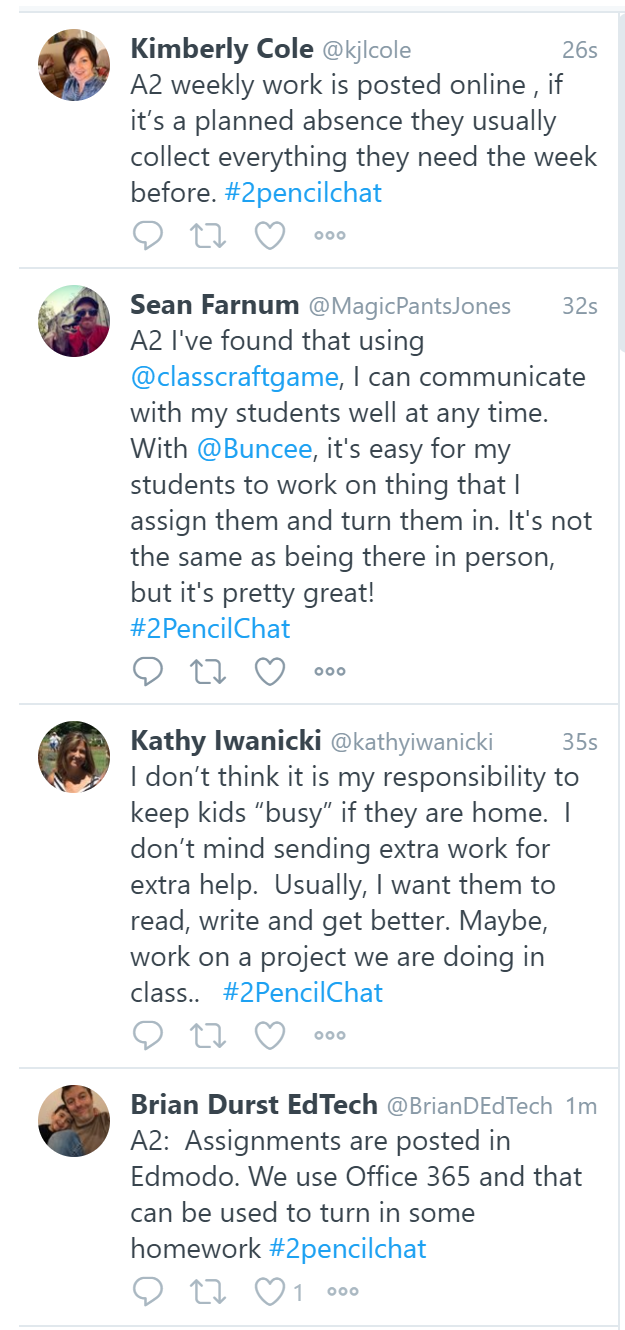
Last week I participated in my first Twitter chat. I have a good amount of experience using Twitter for online marketing, but this was my first experience with an actual chat.
I found some chat topics that I was interested in and set up search columns in Tweetdeck to participate. I tried four different chats before I found one that was active. Unfortunately, that chat was about general, practical topics for teachers and none of it applied to me. This made it difficult to genuinely participate and provide or gain any value from the chat.
The topic of conversation wavered at times. For example, some people became engaged in a small side-discussion about dogs that did not add anything to the chat. The conversation was also extremely slow paced. To avoid wasting time, I started to do other work on my computer while it was going on. My attention became diverted between both tasks, and I wasn’t fully engaged in either one.
I value efficiency, and I value every minute of my time. A live Twitter chat is not an efficient method of finding information or solving problems. There is an opportunity for spontaneous informal learning here (Greenhow, et al. p. 122) but, in a discussion moderated by someone else, the learning is left to chance.
I can see the value of building a network of followers and then having conversations with them on your own time, but my live chat experience was not worth the time and effort. If I found a chat that I was confident would meet every time and discussed topics that directly pertained to me I might be more interested in participating but based on my experience, I don’t see this as an efficient tool.
I was nervous when I realized I needed to create a lesson plan this week. I am not a teacher, and I have never created one before. My lack of experience was a challenge, and I had no idea what topic to choose. I was not sure what format a lesson plan follows. I decided to pick a lesson on Newton’s laws, a basic lesson format and began creating a plan.
While working through the lesson, I had to consider concepts like the 4 C’s (critical thinking, communication, collaboration, and creativity), the value of play, and Hobb’s core competencies. (Hobb’s, 2011. p. 13-19). I chose technology tools that could support each of these concepts. For example, the lesson plan includes playing a game by BrainPop called Impulse. This game allows students to play with forces to see how they create motion. This is a key idea in Newton’s laws. We cannot easily perform this experiment in the physical world, so it makes this technology a good choice for this lesson.
Students are also asked to communicate and collaborate by finding videos containing examples of Newton’s laws and sharing them with a partner. Students record the examples in a shared document, and they are reviewed together as a class.
Finally, students are asked to create a project using digital technologies that demonstrates each of Newton’s laws. Students can create a mechanical object using a 3d printer or other materials, code a video game, or even compose a song or create a video of a dance to demonstrate their understanding.
This assignment really helped me work through the thought process behind which technologies to choose and why they are a good fit for a specific lesson. It was one of the most challenging assignments but also very rewarding.
References
Hobbs, R. (2011). Digital and media literacy: Connecting culture and classroom. Thousand Oaks, CA: Corwin/Sage.
21st Century Learning Presentation. Image retrieved from Adobe Spark licensed under CC.
Dell Technologies conducted a study in 2017 about how technology will affect work and society in the future. They say that 85 percent of the jobs that will be available in 2030 don’t exist yet and that “the ability to gain new knowledge will be more valuable than the knowledge itself.” (Dell Technologies, 2017). This means that we need to teach our students a new set of skills to prepare them in the 21st century.
So what does 21st century learning look like? We need to teach students skills like the “four C’s” (communication, collaboration, creativity, and critical thinking). They also need to learn about cultural awareness, how to become ethical citizens and how to use technology. As educators, we can take advantage of the technologies we have available to us to engage students in these skills.
Using a makerspace is one way of implementing technology to engage students in 21st century skills. While investigating 21st century learning at my own school this week, I began to think more about how a makerspace can benefit our students. This is something that the school has been investigating recently, but I wasn’t clear as to what the value was. I thought it would be fun and engaging for kids, but it wasn’t until I thought about the best ways to prepare kids for the future that I realized adding a makerspace will be a valuable addition for our students. If used properly it could promote the use of all 4 C’s. If students were asked to help someone in the community solve real-world problems using the makerspace they would need to communicate and collaborate with that person to understand the issue. They would also need to use creativity and critical thinking to come up with a solution.
I’ve always loved the Rocky movies. There’s something so inspirational about this guy who always get back up and fights after being knocked down. I remember being a kid and seeing Rocky hit the speed bag. It was going so fast seemed impossible. Ever since then I’ve wanted to learn to do that.
In our CEP810 class we were asked to learn something we’ve always wanted to do by using only certain types of online sources. I’m going to use this opportunity to finally learn a basic speed bag technique.
I realized that this was going to be challenging because the bag I ordered would not arrive for days and I’m going to be at a conference this week. How will I learn to do this if I’m not able to practice? My heart is set on this task though and I knew I could find a way. Besides, Rocky wouldn’t back down from a challenge like this.
The solution I’m going to use is to focus on practice through visualization. By practicing the technique in my mind in as much detail as possible, I’m hoping to acquire some skill before I arrive home and hit the bag for the first time.
Video will play a very important role in this process. In order to be successful, I will need to watch each boxer and imagine myself being the one hitting the bag. I need to do this in as much detail as possible. I’ve found several videos, but my favorite so far is this one. The teacher starts out slowly which is going to be critical for my visualization practice. I’m very curious to see if this learning experiment will work!





 Brian Durst EdTech